 DiskBrio
Free · Windows 10 and 11 · No account
Know what's filling your drives. And what's safe to free up.
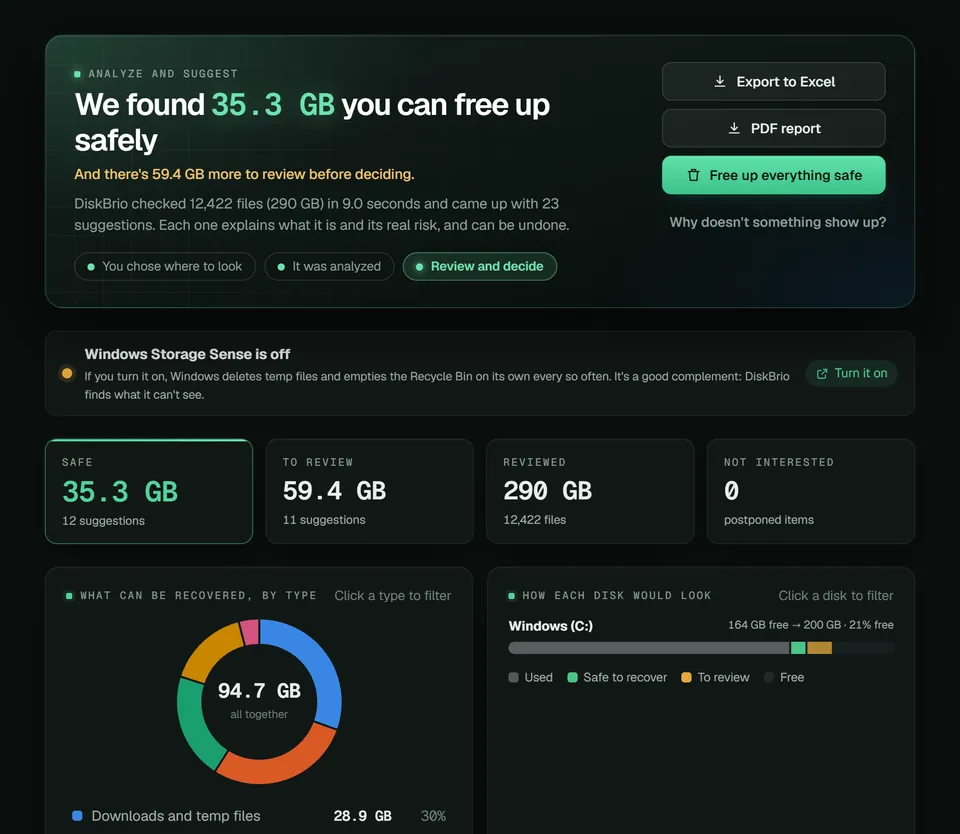
DiskBrio analyzes your disks and suggests what to clean up, explaining each item: what it is, how much it frees and its real risk. By default everything goes to the Recycle Bin, so you can undo it. It also checks your drives' health.
Version 0.7.6 · 27/11/26 · 64-bit · No admin rights · English and Spanish
- Undo from HistoryBy default everything goes to the Recycle Bin, and History can bring it back.
- A risk label on everythingSafe, or worth a look first. Never a guess.
- Cloud stays in the cloudOneDrive and Google Drive files are never downloaded.
- Private by designNo account, no telemetry. Nothing leaves your PC.
Demo
See it in 80 seconds
A test drive with made-up files: the analysis, the suggestions, sending something to the Recycle Bin and undoing it, the map of what takes up space, your programs, and a drive that needs attention. Narrated, with subtitles.
How it works
Three steps, and you decide every one
Other analyzers show you a map and leave the hard part to you. DiskBrio does the homework: it recognizes what each thing is and tells you whether it's worth deleting.
Choose where to look
Whole drives, a few folders, OneDrive or Google Drive. You can leave folders out and pick what kinds of things to look for.
It analyzes, without touching
The scan reads names, sizes and dates, so it's quick and safe. Files are only read to confirm exact duplicates, never if they're online-only.
You review and decide
Every suggestion says what it is, how much it frees and its real risk. One click sends it to the Recycle Bin, and History can undo it.
Features
Built to tell you what to do, not just what's there
Suggestions
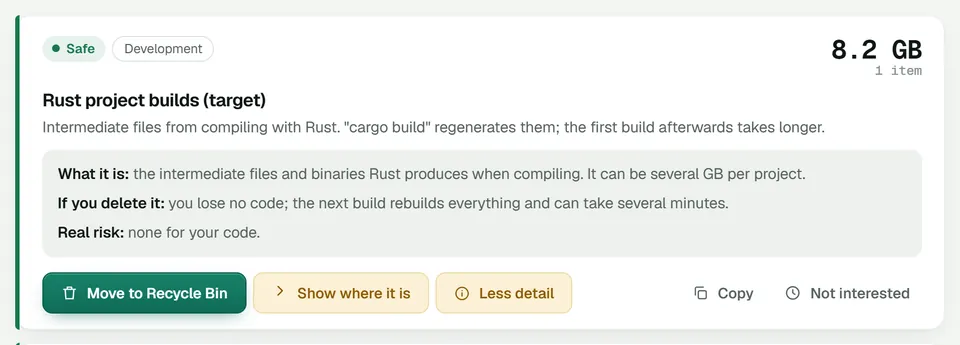
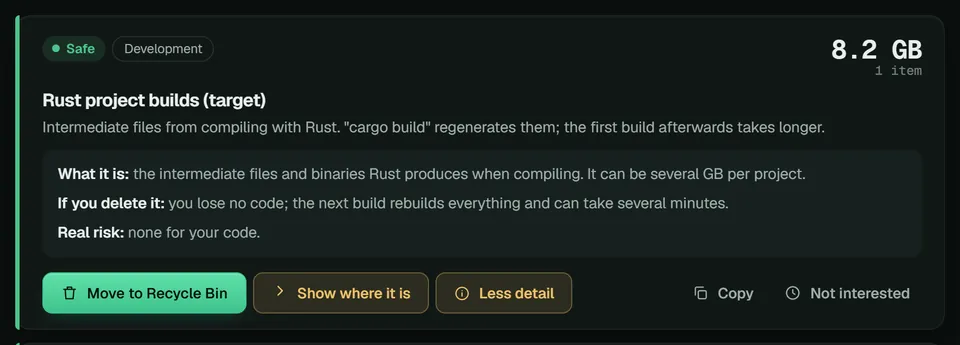
Every suggestion explains itself
DiskBrio knows more than 80 kinds of space wasters, and says what each one is in plain words, what happens if you delete it, and how risky that really is.
- Browser and app caches, Windows temp files, error reports and shader caches
- Developer leftovers: node_modules, build folders, package caches, old virtual environments
- Old installers and downloads, unfinished downloads, iPhone backups and AI models you no longer use
- Exact duplicates and old dated copies, keeping the newest ones
Undo
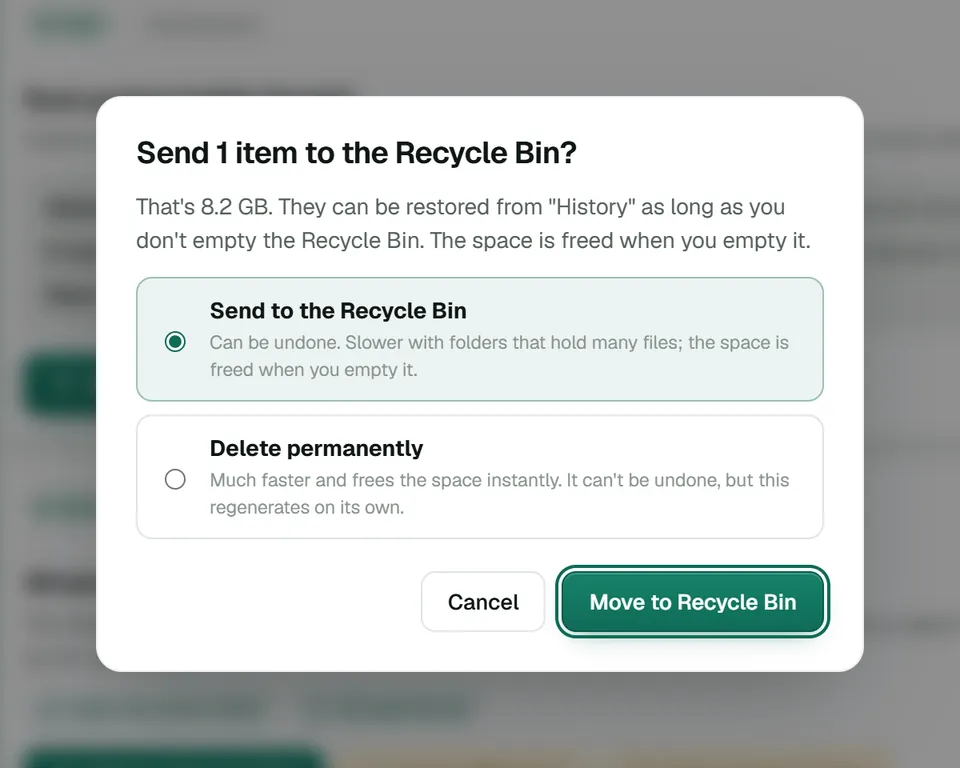
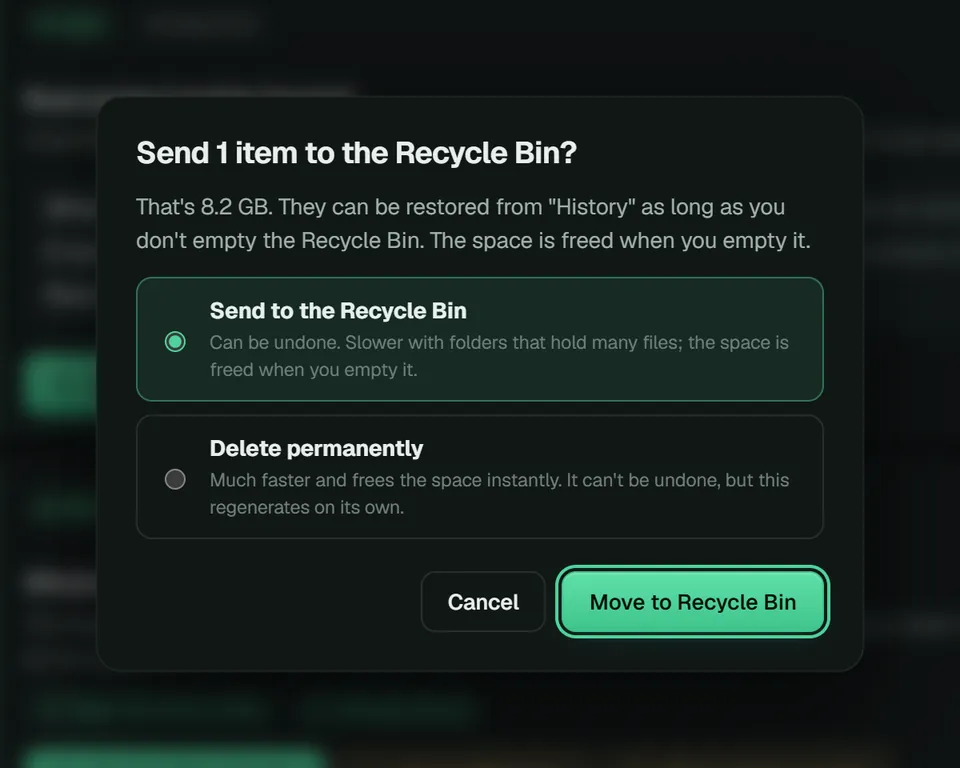
Nothing happens without your OK, and everything can be undone
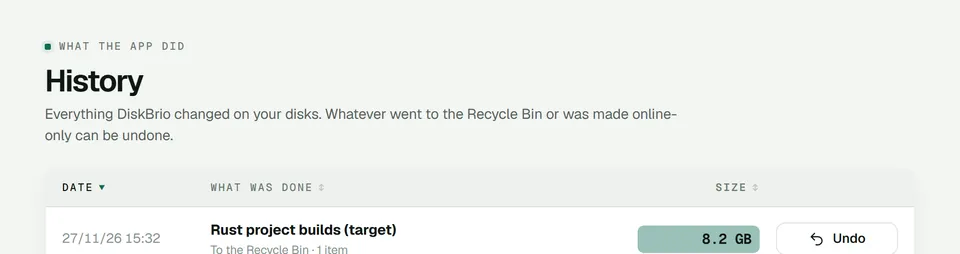
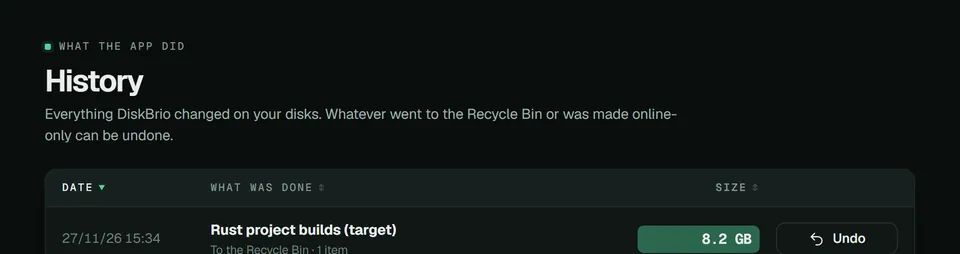
Before acting, DiskBrio tells you exactly how much goes and where. By default it all goes to the Recycle Bin, and History keeps every change with an Undo button.
- Places Windows needs are on a list DiskBrio never touches
- Sizes are checked again right before acting
- "Look only" mode turns off every button that changes the disk, handy on someone else's PC
Explore
See where the space went
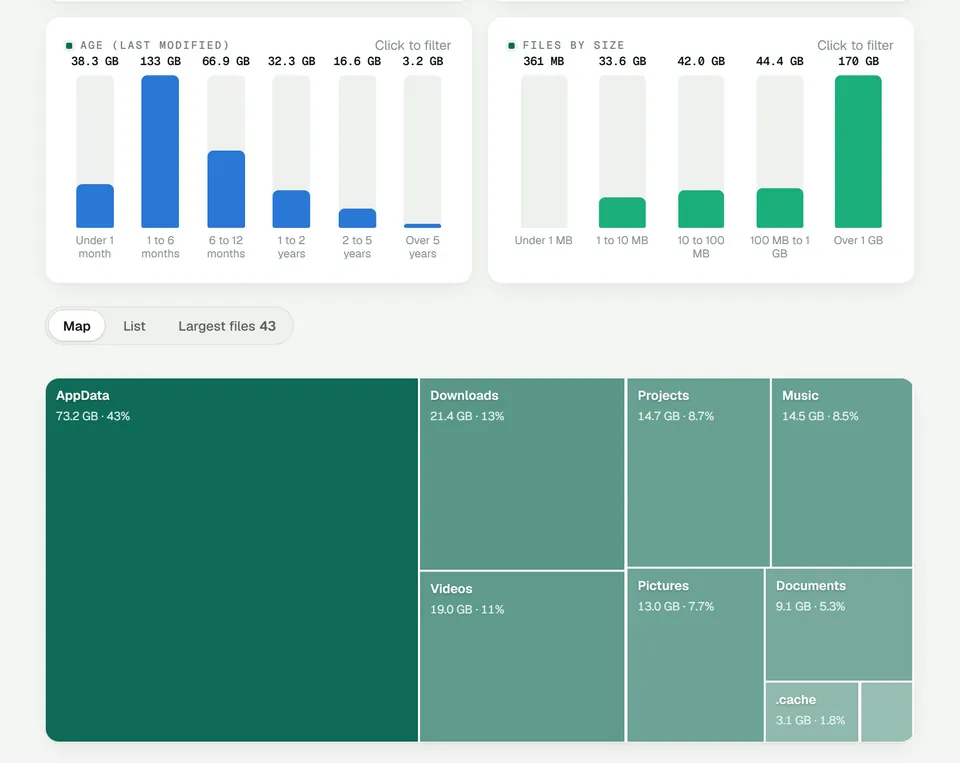
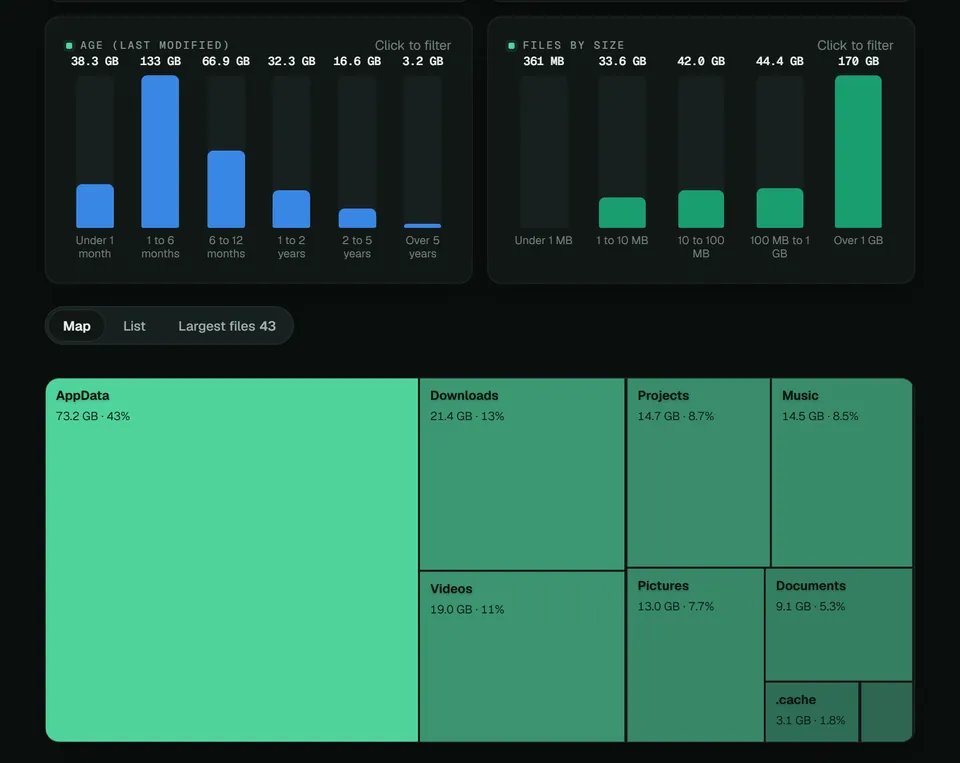
Folder by folder, with each one's share of its folder and of the disk. A map, a list, the 100 largest files, and charts by type, age and size that filter everything when you click them.
- "What is it?" for large files, including whether a program is still installed
- Trends: what grew since the last analysis
- Export to Excel and a printable PDF report
Drive health
A warning before a drive fails, and a plan if it does
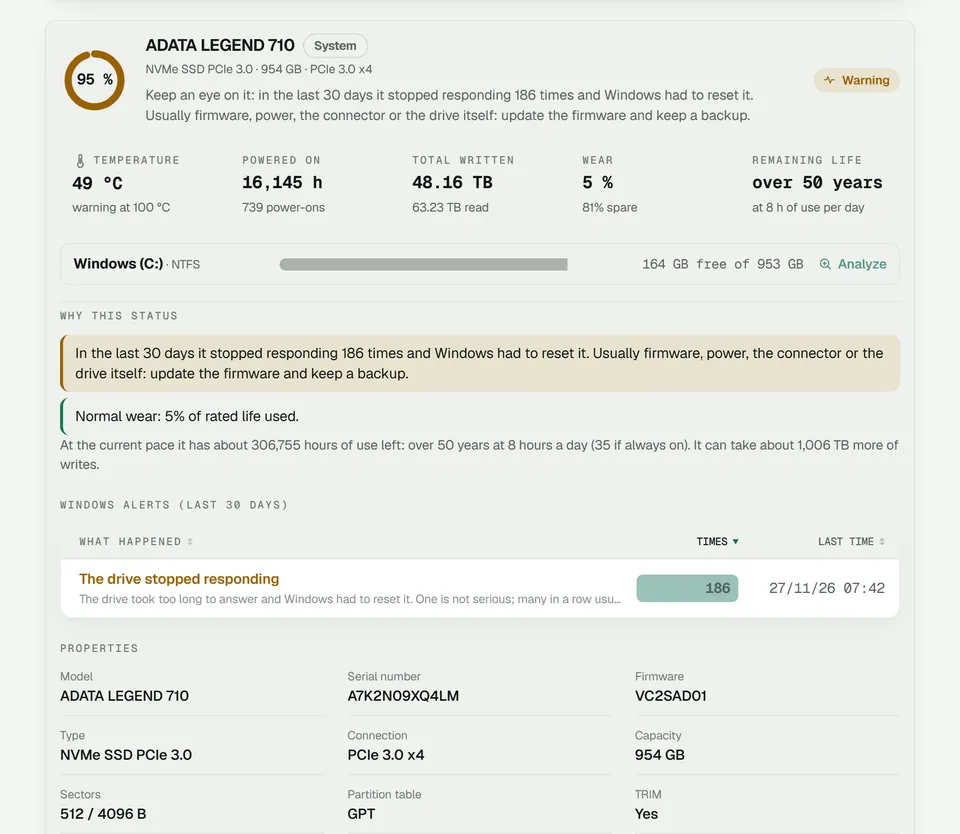
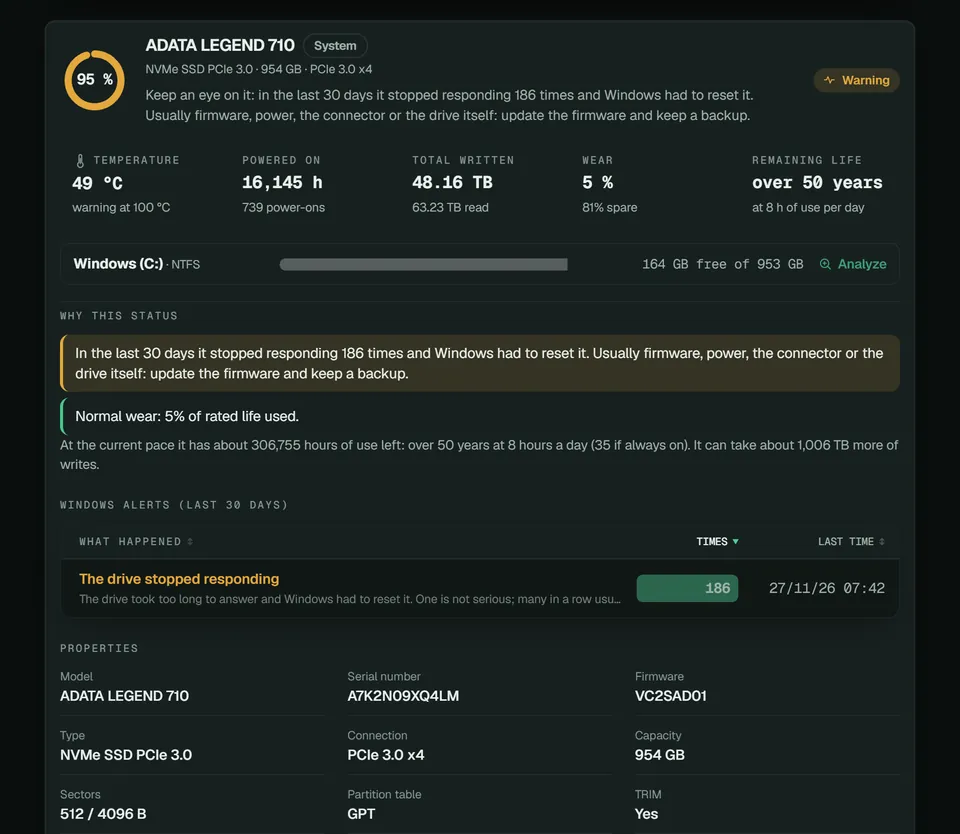
DiskBrio reads each drive's SMART and NVMe health data, without administrator rights, and adds the last 30 days of Windows disk alerts. When something looks wrong it says why, in plain words.
- Health, temperature, wear, hours and data written, for SSD, NVMe and hard drives
- An action plan: copy what matters to another drive, update the firmware, free space, check the slot, and a report for the warranty
- A speed test, with a diagnosis when it's slower than it should be
- Alerts when the trend gets worse, not only when it's too late
All your drives
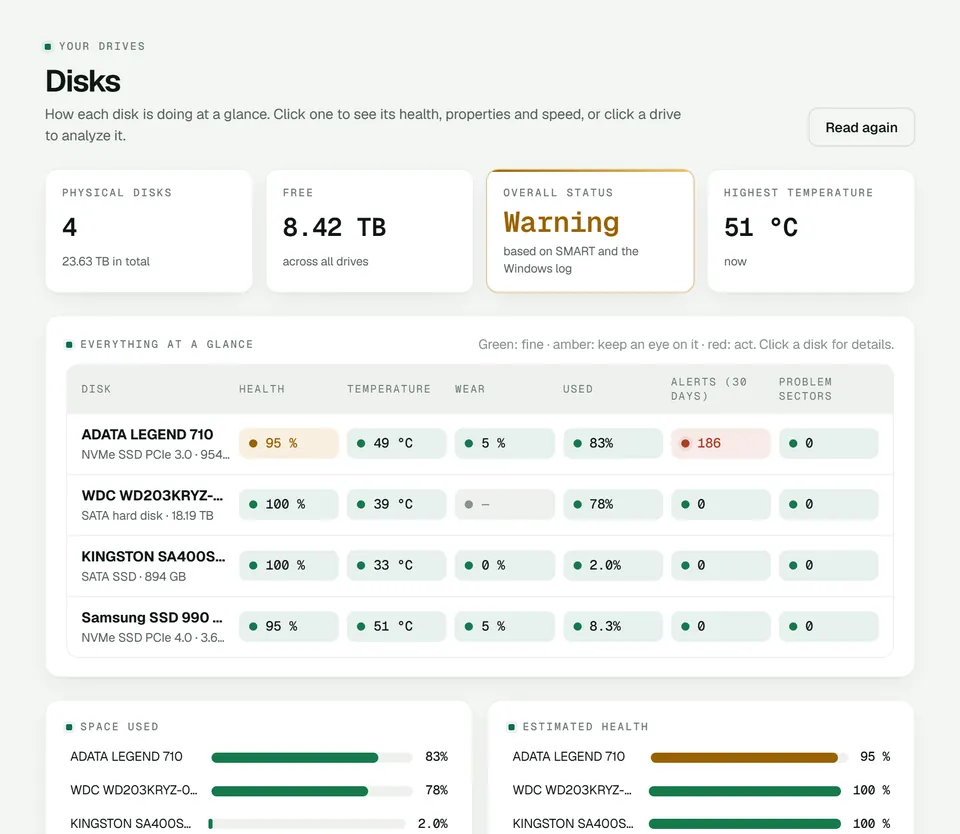
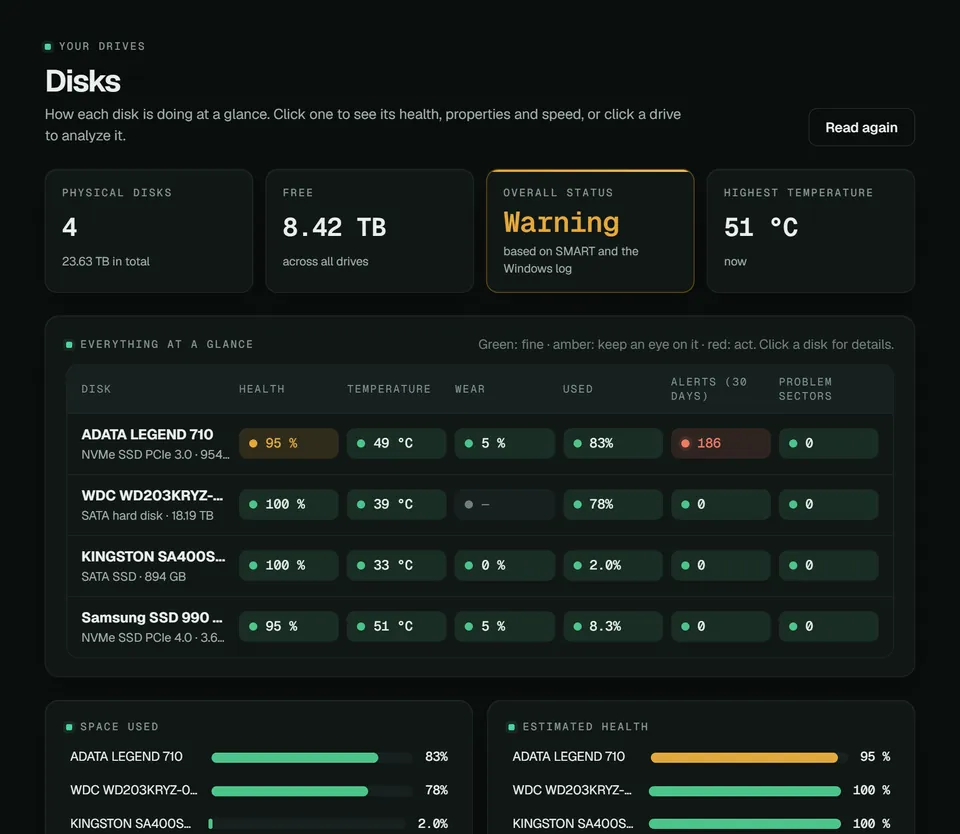
Every drive at a glance
Green is fine, amber means keep an eye on it, red means act. Click a drive to see its health, properties and speed, or to analyze it.
And more
The rest of the toolbox
OneDrive and Google Drive
Keep old OneDrive files only in the cloud to free this disk. Analyze Google Drive without downloading anything, and get a step-by-step plan when your Google or Microsoft storage is full.
Scheduled analysis
Every day or every week, without opening the window. A Windows notification tells you when a drive runs low or a folder grows a lot. Automatic cleanup of safe items is there if you want it.
Applications
Installed programs by size and by how long since you last opened them. To uninstall, DiskBrio opens the program's own uninstaller.
Compress instead of deleting
Large files you rarely open can be stored compressed by Windows itself. They open the same and take less space. It can be undone.
Windows extras
Hibernation file, old Windows components (with Windows' own DISM cleanup), Windows Update downloads, restore points and the Recycle Bin, each explained.
Right-click a folder
Optionally adds "Analyze with DiskBrio" to the File Explorer menu, so you can check any folder or drive in one step.
Compare
How DiskBrio compares
Good tools exist, and we use some of them. Here's an honest look at what each one does, in its free version.
| Feature | DiskBrio | WinDirStat | WizTree | TreeSize Free | Czkawka | CrystalDiskInfo |
|---|---|---|---|---|---|---|
| Price | Free | Free | Free for personal use | Free (paid editions) | Free | Free |
| Where the space went (map or tree) | Yes | Yes | Yes | Yes | Big files list | No |
| Suggestions with explanation and risk | Yes | No | No | No | Lists, no risk | No |
| Undo from a history | Yes | No | No | No | No | No |
| Duplicates by content | Yes | Yes | By name and size | Paid editions | Yes | No |
| Drive health (SMART, NVMe) | Yes | No | No | No | No | Yes |
| Speed test | Yes | No | No | No | No | Separate app |
| Scheduled analysis with alerts | Yes | No | No | No | No | Health only |
| Open source | No | Yes | No | No | Yes | Yes |
| Systems | Windows | Windows | Windows | Windows | Windows, macOS, Linux | Windows |
Where others are better: WizTree reads the drive's file table directly and is the fastest on huge drives. CrystalDiskInfo has years of testing across thousands of drive models. Czkawka is open source and also runs on macOS and Linux. And DiskBrio is new and not code-signed yet. Based on each tool's public information as of 27/11/26.
Privacy
Your files stay yours
DiskBrio works entirely on your PC. It doesn't need an account and doesn't send anything anywhere.
- No account, no telemetry, no ads, no cookies. This site doesn't use analytics either.
- The app doesn't connect to the internet on its own. Links to Google, Microsoft or a drive maker's site open in your browser only when you click them.
- The scan reads names, sizes and dates. Files are only read to confirm exact duplicates, and never if they're online-only.
- Everything it saves (analyses, History, settings) stays in your user folder.
Before you install
Windows may say it "protected your PC"
DiskBrio isn't code-signed yet, and Windows SmartScreen warns about new apps without a signature or download history. Click More info, then Run anyway. It installs for your user only, without administrator rights, and you can remove it from Settings › Apps like any program.
d266d79d3aa94ada1ecc44e0cd5410a9a31a9a5436e9717031799bef70374106
FAQ
Questions
Is DiskBrio really free?
Yes. No trial, no ads, no account and no time limit.
Does it delete anything on its own?
No. It only suggests: nothing changes until you click. By default everything goes to the Recycle Bin, so History can undo it. Deleting permanently is a separate option you have to choose, and it says so.
The only exception is the automatic cleanup in Settings, which is off until you turn it on and only touches the safe items you check.
Is it safe to delete what it suggests?
Items marked safe are things that come back on their own, like caches and temp files: at worst something loads a bit slower the first time. Items marked to review may be yours to keep, like old installers, backups or duplicates, so DiskBrio shows what they are and lets you decide one by one.
Will it download my OneDrive or Google Drive files?
No. Windows knows the name, size and date of files that live only in the cloud, and that's all DiskBrio reads. Online-only files are never opened, so nothing gets downloaded.
Do I need administrator rights?
No. DiskBrio installs for your user only, and the analysis and the health check work without administrator rights (a few SMART details, like failure thresholds, need them). Windows asks for permission only for system changes, such as turning off hibernation or cleaning up Windows components.
Which drives does the health check support?
Internal NVMe and SATA SSDs and hard drives. Many USB enclosures block health data; when that happens DiskBrio tells you instead of guessing.
Why does my drive show "Warning"?
DiskBrio explains the reason on the drive's page, for example rising reallocated sectors, high wear or Windows resetting the drive often. It also gives you a plan, starting with a copy of what matters to another drive.
Which Windows versions does it run on?
Windows 10 and 11, 64-bit. It uses Microsoft Edge WebView2, which comes with Windows 11 and up-to-date Windows 10.
Is it available in other languages?
English and Spanish. You can switch in Settings.
Give your drives some room
Free for Windows 10 and 11. No account, no ads. 4.6 MB.
Download DiskBrio